About business
business is your gateway to insights, trends, and updates — explained simply and beautifully.
business Blogs

How Digital Menu App Can Transform Dining Experience
The restaurant industry is evolving faster than ever. Customer expectations are changing, and technology is becoming a core part of everyday dining. One innovation that is reshaping how restaurants operate and how customers interact with food is the digital menu app. From small cafes to high-end restaurants, this technology is helping businesses improve efficiency while creating a more engaging experience for guests. Understanding how a digital menu app can transform the dining experience is essential for restaurant owners who want to stay competitive. These apps are not just about replacing paper menus. They improve ordering speed, reduce errors, enhance customer satisfaction, and help restaurants grow in a smart and sustainable way. What Is a Digital Menu App A digital menu app is a mobile- or tablet-based menu that allows customers to browse dishes digitally. It can be accessed through QR codes, tablets placed on tables, or even on the customer’s own smartphone. These menus are dynamic, meaning restaurants can update prices, items, and descriptions instantly without printing new menus. More importantly, digital menus often integrate with ordering systems, payment gateways, and customer data tools. This creates a smooth dining journey from menu browsing to payment How Digital Menu App Can Transform Dining Experience for Customers Faster and More Convenient Ordering One of the biggest advantages is speed. Customers no longer need to wait for staff to bring menus or take orders. With a digital menu app, they can view items instantly and place orders directly from their device. This reduces waiting time and improves overall satisfaction. For busy restaurants, faster ordering also means quicker table turnover without rushing guests. Customers feel in control and comfortable while dining. Better Menu Clarity and Visual Appeal Digital menus allow restaurants to showcase high-quality images, detailed descriptions, and ingredient information. This helps customers make better choices and reduces confusion. When people clearly understand what they are ordering, they are more confident and more likely to enjoy their meal. For customers with dietary preferences or allergies, digital menus can clearly display relevant information, making dining safer and more inclusive. Personalized Dining Experience Modern digital menu apps can recommend items based on previous orders or popular choices. This personalisation makes customers feel valued and understood. Some apps also allow language selection, which is extremely helpful in tourist areas or multicultural cities. This level of personalisation plays a major role in how a digital menu app can transform the dining experience by turning a simple meal into a memorable interaction. Benefits of Digital Menu Apps for Restaurant Owners Easy Menu Updates and Management Traditional menus require time and money to update. With a digital menu app, restaurant owners can instantly change prices, add new dishes, or remove unavailable items. This flexibility is especially useful during seasonal changes or supply shortages. Menu management becomes faster and more accurate, reducing customer disappointment and staff confusion. Reduced Operational Costs Printing menus regularly can be expensive. Digital menus eliminate printing costs and reduce waste. Over time, this leads to significant savings, especially for restaurants that update menus frequently. Additionally, fewer order mistakes mean less food waste and fewer refunds, which directly improves profitability. Improved Staff Efficiency When customers place orders digitally, staff can focus more on service quality rather than manual order taking. This reduces pressure on employees and improves the overall workflow inside the restaurant. Staff members also spend less time correcting order errors, which leads to smoother operations during peak hours. How Using a Digital Menu App Can Boost Sales Digital menus are effective instruments for sales. Within the app, restaurants can showcase their best-selling products, advertise add-ons, and present exclusive deals. Instead of being forceful, upselling becomes organic. For instance, the app may recommend a drink or dessert when a customer chooses a main course. This subtle strategy frequently raises the average order value without adversely affecting the customer experience. Additionally, buyers are encouraged to try premium items by clear descriptions and images, which naturally increases revenue. Improved Safety and Hygiene Diners now place a high value on hygiene. By doing away with shared paper menus, digital menus minimise in-person interactions. A safer and more comfortable dining environment is produced by allowing customers to view menus on their own devices. Customers are reassured that the restaurant appreciates their health and well-being by this emphasis on cleanliness, which also fosters confidence. Customer Understanding and Data Insights Digital menu apps gather useful information about customer preferences, popular items, and peak ordering periods. Restaurant operators can utilise this information to better organise specials, modify prices, and enhance menu design. Businesses can make better decisions and provide better experiences by having a deeper understanding of consumer behaviour. Another excellent illustration of how a digital menu app may improve eating experiences on both sides is this data-driven strategy. Digital Menu Apps' Impact on Brand Image Using contemporary technologies enhances a restaurant's reputation. It demonstrates creativity, expertise, and client-centeredness. A well-designed digital menu establishes the tone for the entire dining experience and makes a good first impression. Particularly among younger patrons who anticipate technology-driven services, restaurants that use digital solutions are frequently seen as more reliable and well-organised. Obstacles and How to Get Past Them Some restaurant operators are concerned about technical problems or customer adaptation. There are easy ways to deal with these problems. Employees should help new users when needed and guide them in a courteous manner. Technical dangers are also decreased by selecting a dependable digital menu app supplier with excellent assistance. The advantages greatly exceed the difficulties when implemented correctly. Dining in the Future with Digital Menu Apps Digital menus are a long-term change rather than a passing fad. These apps will provide even more functionality as technology advances, such voice ordering, AI-based suggestions, and more personalisation. Restaurants that implement digital menus now are better equipped to meet client expectations and future advances. conclusion For modern restaurants, it is crucial to comprehend how digital menu apps might change the dining experience. These applications boost consumer satisfaction, lower expenses, increase convenience, and promote company expansion. Both patrons and restaurant owners gain from their seamless and engaging dining experience. Restaurants may maintain their competitiveness, increase productivity, and forge closer bonds with their patrons by adopting digital menus. Digital menu apps are now required in the rapidly evolving restaurant business. They are a smart step toward long term success. Frequently Asked Questions What is the main benefit of a digital menu appThe main benefit is improved convenience for customers and better operational efficiency for restaurants. Can small restaurants use digital menu appsYes. Digital menu apps are suitable for restaurants of all sizes and can be scaled based on needs. Do digital menu apps require customers to download an appMany digital menus work through QR codes and web links, so customers do not need to download anything. Are digital menu apps expensiveMost digital menu apps are affordable and help save money by reducing printing and operational costs. How digital menu app can transform dining experience for repeat customersIt offers faster service, personalized recommendations, and a smoother ordering process, encouraging loyalty.
Sheikh Ahmad • 12/17/2025

business • 11/28/2025
Business Consulting Services That Help Companies Grow with Confidence
Every business owner wants to grow their business. But in the actual world, progress doesn't just happen. It takes good planning, smart choices, and competent advice. This is when Business Consulting Services become useful. They help businesses find genuine solutions to problems, boost performance, and make long-term plans based on facts instead of guesses. If you run a tiny startup or a growing business, you may have problems like not knowing where to go, having processes that aren't working, low sales, poor management, or changes in the market that happen quickly. When you deal with professionals who specialise in Business Consulting Services, you can get plans that will help you go forward with confidence and clarity. In this article, we talk about what these services are, how they work, and why organisations of all sizes may use them. What Do Business Consulting Services Do? Business consulting services are professional support systems that help businesses run better, deal with problems, and boost their prospects of long-term success. These services look at a business from the inside and the outside. Consultants look at your structure, team performance, customer experience, finances, and market trends to provide you advice that helps your business make demonstrable growth. Strategic planning is one of the most important parts that are normally covered. Consultants help you make business plans that are realistic and useful for growth and stability. Improving the process They look at how your firm does its work and come up with solutions to make everything go faster, smoother, and more efficiently. Guidance for the market Consultants look at what your competitors' customers want and what's fresh in the industry to find ways for you to grow. Analysis of finances They look at your business's finances and help you make better choices that increase profits and cut costs that aren't essential. Support from leaders Consultants teach managers how to work together better and communicate better with each other. Why Companies Should Hire Consultants At some point, every business has to deal with problems. Not knowing what to do might sometimes be the difficulty. Sometimes it's a reduction in sales or not knowing what the market needs are changing. firm consulting services give you an honest and clear view of your firm. This impartial point of view is really important since it shows you problems you may not have seen before. Some common reasons businesses use consultants Not having a plan in place A lot of businesses know what they want, but they don't have a plan on how to get there. Consultants help people put their ideas into distinct steps. Processes that don't work well Slow systems, messy workflows, and unclear responsibilities waste time and money. Consultants remedy this by making the company's internal structures better. Not enough customer involvement Companies can lose clients and not know why. Consultants help make the consumer experience better and keep them coming back. Uncertainty in the market Industries change quickly. Consultants assist you stay ahead by seeing trends and giving you good ways to adjust to them. Problems with staff performance When production is low, it usually means there are bigger problems. Consultants find these challenges and help teams work better together. Using business consulting services has various benefits. It helps you make better choices. With the right insights and research consultants help you base decisions on data rather than guesswork. This lowers risk and saves money. Saves time and money Consultants find things that squander time and money. By improving operations you gain more time and reduce unnecessary costs. Lets you use expert skills Companies can't engage experts for every element of their business. Consulting offers access to specialized skills only when needed making it cost effective. Improves Productivity and Team Skills Consultants train staff improve communication develop leadership and boost overall efficiency. Builds a Strong Competitive Advantage Businesses that understand market trends and customer needs always stay ahead. Consulting gives you this advantage. Different kinds of business consulting services Consulting for management Consultants assist in fostering team building, developing leadership skills, and enhancing the overall structure of the organisation. Consulting on strategy Focusses on making long-term plans for entering new markets and finding the best way to grow. Consulting for marketing Helps you build effective digital branding strategies that improve the consumer experience and put you in a better position in the market. Advice on money matters Better budgeting, financial planning, profit analysis, and cutting costs. Consulting for IT Helps companies use new technology to make their digital systems safer and better. Consulting for operations Focusses on improving internal systems to boost output and cut down on delays. How Business Consulting Services Work: Figuring Out What Your Problem Is At first, consultants ask a lot of questions about your goals, problems, and how well you're doing right now. Business Evaluation They look closely examine your business, including its finances, customers, employees, operations, brand, and technology. Make a plan for your strategy Consultants provide a clear plan for your organisation that includes ways to enhance and grow. Help with Implementation They show you how to make adjustments step by step, making sure you do it right. Review of Performance Lastly, they check the results to make sure the techniques are functioning and change them if they aren't. Real Effects of Business Consulting Services: More Growth Companies that use consultants get better guidance and understanding. This leads to steady growth and more stability. Better Performance from Staff Teams talk to each other better, get things done faster, and feel more motivated when they get training and better systems. Better Profit More profit and better financial management come from smart planning and running things well. Customers are happier Consultants assist you get to know your consumers better, which leads to better service and more loyal customers. What to Look for When Choosing Business Consulting Services Experience in Your Field Pick consultants that know what problems your kind of firm has to deal with. Communication that is clear Good consultants use simple language to describe things so you can understand the choices you make. Skills for solving problems A good consultant can find problems that aren't obvious and suggest useful ways to fix them. Good at analysing things Consultants should base their choices on facts and research, not on what they think. A personalised approach Don't use services that are the same for everyone. Your business needs special care. conclusions It's fun yet hard to run a business in today's competitive market. You might have trouble with planning sales, customer connections, productivity, or market shifts. With the help of Business Consulting Services, you can confidently go past these problems. They assist you go forward by giving you a clear plan, helping you make better decisions, keeping things running smoothly, and being a greater leader. Investing in the appropriate consulting services may make your business more secure, successful, and ready for the future, no matter if you run a new startup or a company that has been around for years. Frequently Asked Questions About Business Consulting Services What are Business Consulting ServicesBusiness Consulting Services are professional support solutions that help companies improve performance increase profit and solve challenges. Consultants study your business processes finances customer experience and market position then offer strategies that guide your company toward sustainable growth. Why do companies need Business Consulting ServicesCompanies often face challenges like unclear planning slow operations low sales or rapid market changes. Business Consulting Services provide an outside expert perspective that helps identify hidden problems create strong strategies and support better decision making. What types of consulting services do businesses usually needBusinesses commonly need services related to strategy planning management improvement marketing analysis financial planning technology guidance and operational efficiency. The right type depends on your goals and the problems you want to solve. How do Business Consulting Services enhance a company's performance?Consultants analyze your current systems identify weaknesses and design solutions that improve workflow leadership customer service and sales. These improvements lead to higher productivity lower costs and stronger financial results. Are Business Consulting Services useful for small businessesYes they are very beneficial. Small businesses often struggle with limited resources and unclear planning. Consulting provides expert guidance that helps them grow faster avoid mistakes and compete with larger companies. How long does a consulting project usually takeThe timeline depends on the size of the business and the complexity of the challenges. Some projects take a few weeks while others may take several months. Consultants usually set a clear schedule at the beginning. Do consultants work directly with employeesYes many consultants train employees help leaders improve communication and guide teams through new processes. This ensures that improvements are properly understood and implemented.
Read More →
business • 11/28/2025
Business Casual Attire Men A Complete Guide for Modern Professional Style
Dress codes for work have changed throughout the years, and now many places of business like a style that is current, comfortable, and professional, which is called "business casual." Knowing what "Business Casual Attire Men" really implies can help professionals feel good about how they dress for meetings, interviews, or networking events. Even if the word seems simple, a lot of guys still have issues about what to dress, what not to wear, and how to find the right balance between being comfortable and professional. This in depth guide covers all aspects of men's business casual attire, including outfit options, colours, fit, grooming, and useful hints that make getting dressed easier. This guide will help you seem polished and confident every day, whether you're starting a new job, updating your wardrobe, or just wanting to look better at work. What Business Casual Attire Men Really Means? Business casual is something between formal suits and clothes that are too casual. It lets you be comfy while still looking like a professional. The idea is to look clean, confident, presentable, and well put together without being too formal. Men's business casual wear often comprises collared shirts, chinos, loafers, sweaters, dress pants, blazers and well-groomed looks. It stays away from clothes that look too sporty, too casual, or too daring for a work environment. Men can dress appropriately for diverse business settings if they understand this balance. Why Men Should Wear Business Casual Clothes to Work These Days. A lot of businesses want their workers to feel comfortable while yet being professional. Business Casual Attire guys lets guys show off their style while yet being respectful in the office. The pros of wearing business casual clothes Makes a powerful initial impression Your clothes say things before you do. A neat, polished look makes you look organised and sure of yourself. Makes professionals feel comfortable You may go about your day with confidence knowing that you don't have to wear a full suit. Helps build trust and growth People who dress nicely generally get good responses from their coworkers and bosses. Works with today's work culture Most businesses now want smart, comfortable clothes that help people work together and be creative. Men's Business Casual Clothing Must-Haves To build a fantastic wardrobe, you need to know what clothes you need. These things are the building blocks of a strong business casual look. Oxford shirts Soft, comfortable, and professional. White, blue, or light pastels are the best solid colours. Shirts with buttons You can wear these alone or with a sweater or blazer. Shirts with a polo collar Great for offices that are a little more laid-back yet still want to seem clean. Chinos Pants Business Casual Attire Men usually choose this. Pick colours that aren't too bright, like beige, navy, brown, or black. Pants for work Give meetings or other work events a more polished look. Sweaters with a crew neck or a v-neck They make things look more elegant without being too formal. Cardigans For cooler weather, it's comfortable and sophisticated. Blazers Blazers make every business casual attire look better. A blue or charcoal blazer goes well with a lot of different shirts and trousers. Loafers for shoes A classic pick for a business casual look. Sneakers made of leather Only good for places of work that let you dress casually. Pick designs that are simple and neutral. Oxford or derby shoes Great for when you want to look more polished. How to Pick Colours and Patterns for a Clean, Professional Look Colours are very important in Business Casual Attire Men. Calm and neutral colours give a refined look and go well with other pieces of clothing. Navy is the best colour choice. A colour that may be worn with shirts, trousers and blazers and still look professional. White A classic choice that looks clean, especially for shirts. Grey Great for sweaters, trousers and light coats. Colours of the Earth Brown, olive, beige, and tan colours make clothes feel warmer. Patterns should stay basic. Bold images should be avoided, but thin stripes, gentle checks, or tiny patterns work well. The secret to looking sharp is to fit and be comfortable. If the fit is improper, even the nicest clothes seem amateurish. Business Casual Attire Men is all about clean lines and the right fit. Shoulders: Tips for fitting Your shirts and jackets should fit your shoulders well. Length Shirts should fit well and not have too much fabric, and trousers should sit just over the shoes. Ease Check to see if you can move around easily. Clothes for business casual should never feel tight or rigid. A well-fitting suit boosts confidence and offers a powerful first impression. Personal Care and Grooming Business Casual Attire Men is more than just clothes. Taking care of yourself is also very important for looking polished. Things you need to groom Trimmed hair that is clean Taking care of your hair always makes you look more professional. Beard that is neat or clean shave Facial hair that isn't well-kept can mar an otherwise great clothing. New scent A subtle, clean perfume might make you look more professional. Nails and hands that are clean Little things can make a big difference. Men's Seasonal Business Business Casual Attire Men The rules about what to wear fluctuate with the weather. Knowing what to wear for each season will help you stay comfortable and professional all year long. Business casual in the summer Cotton and linen are light textiles. Polo shirts or button-down shirts that let air in are good choices.Chinos or formal pants that are lightLoafers with light socks Business casuals in the winter. Sweaters and cardigansShirts with jackets on topChinos that are dark or dress pants that are bulkierBoots made of leather with a shiny gloss Business casual in the spring and autumn Jackets that are lightSweaters made of cotton that come in neutral colours that go with mild climates Business Casual Attire Men: Common Mistakes Keeping your look cleaner and more professional means avoiding blunders. Things you shouldn't do Wearing clothes that are too tight or too loose This has an effect on how comfortable and how you look. Picking loud prints In a business atmosphere, they might be distracting. Putting on old, worn-out shoes Shoes have a big effect on initial impressions. Wearing casual items like sports jerseys or sandals together These ruin the professional tone. How to Build a Business Casual Attire MenWardrobe on a Budget You don't have to buy expensive brands to seem professional. The most important thing is to pick pieces that can be worn in a lot of different ways. Tips for saving money Start with the basics Two pairs of chinos and two shirts You only need one blazer and one pair of nice shoes to start. Pick colours that aren't too bright They go well with a lot of different outfits. Get good basics Fabrics that are strong last longer and stay in shape. Slowly add more parts Add to your wardrobe as you need to. How Business Casual Attire Men Affects Career Growth How you look can help you build your professional identity. People will think you care about your work environment if you dress well. Benefits for professionals Better ways to talk to each other People like it when someone appears put together and sure of themselves. Greater respect in meetings Being informed and responsible displays via good style. More self-assurance When you look good you feel good and that reflects in your work. Conclusion Business casual attire for men strikes a good blend between comfort and professionalism. Men may develop a confident wardrobe that meets the needs of today's workplaces by choosing the proper shirts, trousers, shoes and grooming. Anyone may easily learn how to dress in business casual style if they choose clean colours, good fits, and simple, polished pieces. This book has everything you need to look professional and confident every day, no matter if you work in a corporate setting, a creative field, or a relaxing workplace. Frequently Asked Questions What do men wear for business casual? Collared shirts, chinos, sweaters, and stylish shoes are all part of the dress code that is both comfortable and professional. Can you wear jeans to work? Some employers let you wear dark, clean jeans, while others prefer dress pants or chinos. Can you wear trainers? In casual settings, simple leather trainers could be okay, but conventional offices prefer loafers or formal shoes. Should I put on a tie? In business casual, ties are normally not required, but you can wear one to look more put together. What colours work best For a business casual attire men blue, white, grey, and beige are the best colours to wear.
Read More →
business • 11/19/2025
Professional Agent Support Benefits of Professional Registered Agent Services for Businesses
There are a lot of things you need to pay attention to when you run a business. Owners have to take care of clients, staff, money, paperwork, and legal matters. One of the most crucial things to do is to follow state rules. This is where help from a skilled agent is crucial. A lot of firms hire professional registered agents to take care of legal papers, government notices, and reminders to follow the rules. This provides them more time and peace of mind. This blog will show you how expert agent support can help businesses run efficiently, avoid fines, and stay compliant all year long. The idea is to convey the benefits in a way that is easy to understand so you can see why this service is useful. What a professional agent support Is and How It Works A registered agent is a person or a firm that gets official papers for your business. These papers contain legal notices, tax reminders, compliance letters, and service of process. All states require LLCs and corporations to have a registered agent. You can't conduct a business in most states without having a registered agent. This rule ensures that the government and the law can always contact the business. Professional agent support makes sure that these vital papers get to you on schedule and in good condition. Why Companies Need Help from Professional Agents Some people who start a new business think they can do everything by themselves. But talking to lawyers is important and needs to be done quickly. If you don't have all the right papers, you could face fines, lawsuits, or even losing your good standing. Professional agent assistance fixes these challenges by giving your firm a reliable point of contact. You don't have to rely on your home address or office hours; instead, you receive a committed professional who is always accessible to accept legal mail.. Reliable communication gives you peace of mind. It's hard enough to run a business. When legal letters and government notices are involved, things get much more stressful. Having professional agents help you with this takes the stress off of you. They make sure you never miss a deadline or an official notice. We take care of every document right away and send it to you as soon as it arrives. This consistent communication helps you keep calm and focused on the most critical business activities. How to Make Sure Your Business Is Always Compliant One of the hardest things for new and expanding businesses is following the rules. Businesses have to send in annual reports, tax forms, information on changes to the company, and other papers to the states. If you don't meet these duties, your firm could be suspended or fined a lot of money. Professional agent support helps stop this by giving reminders and helping with deadlines for compliance. They keep an eye on deadlines and make sure your business stays in good standing all year long. You don't have to worry about remembering every filing date, which is good news. Someone is always keeping an eye on your duties. Keeping Your Address and Privacy Safe A lot of people who own small businesses use their home address to register their firm. This makes their private address public because business registration information is kept in public records. Using their address instead of yours preserves your privacy when you work with a professional agency. This restricts people from seeing your home information and stops unwanted visits and mail from coming to your house. For a lot of owners, this one perk makes the service worth it. Staying out of embarrassing legal situations Most of the time, professional agent support a lawsuit notification for your firm is presented in person. If you put your business or store as your address, this can happen in front of customers, employees, or neighbors. This might be uncomfortable and hurt your reputation. Professional agent support stops these things from happening. Instead of going to your place of business, all legal papers go straight to the registered agent. You get important information in a discreet and professional way. Business Owners Have More Freedom A lot of business owners travel, work from home, or have flexible hours. Registered agents must be available at a physical address during normal business hours, according to state law. If you are your own agent, you need to stay at the address all day to make sure you don't miss any papers. This problem can be fixed with help from a professional agent. They are always available during business hours, so you may travel and work from wherever without worrying about missing notices. Growing into more than one state You will need a registered agent in each state where your business is currently operating or expects to operate in the future. It is hard and unreasonable to handle this on your own. With professional agent support, you may grow without any problems. Most agent companies work all over the country. They take care of paperwork for all the states where you are registered, so you can build your business without any problems. Keeping Records in Order Professional registered agent services keep your papers safe. They set up legal notices, letters from the government, and reminders to follow the rules. This lets you get to any file anytime you need it. Tax audits, legal examinations, and business planning all need good record keeping. With professional agent help, nothing will go lost. Faster Responses to Legal Issues Timing is everything when it comes to legal concerns. Taking too long to respond can make things worse. Professional agents aid by letting you know right away when vital papers arrive. This provides you time to respond and keep your business safe. A professional service lowers the chance of missing deadlines and helps keep you safe from legal trouble. Less stress and more focus on business When an official communication service takes care of your business's official communication, you have more time to grow it. You can focus on customer service, marketing, sales, staff management, and product development. This makes people more productive and helps the company grow more healthily. How professional agent support may help new businesses Startups don't have a lot of money or time, and they typically have trouble with documentation. Professional agent support helps new firms keep organized and follow the rules from the start. This gives the founders a firm base to work from and lets them focus on coming up with new ideas instead of running the business. Communicating Clearly During Business Changes You need to tell the state whenever you change your business's name, address, or management. Professional agents aid with these modifications and make sure that the right papers are filed on time. This keeps your business documents correct and minimizes confusion. Choosing the Right Registered Agent for Your Business Not all agent services give the same amount of help. When choosing one, look for these traits: Very reliable Quick delivery of documents Strong protection of privacy Customer service that is helpful Yearly charge that is reasonable Clear reminders to follow the rules Your registered agent is a vital part of keeping your business safe, thus quality matters. conclusion Businesses of all sizes can benefit greatly from having professional agent help. It safeguards your privacy, makes sure your business follows the law, handles legal contact, and allows you more time to focus on growth. You may conduct your business with peace of mind if you have a reliable registered agent who will take care of all important documents and notices. Professional agent assistance is one of the best things you can do for your business, whether you're beginning a new one or running a growing one. It gives you peace of mind, saves you time, and makes your firm more stable in the long run. Frequently Asked Questions What is the job of a registered professional agent support? A registered agent gets legal papers, tax notices, and compliance letters for your firm. Why small businesses should professional agent support It helps the business stay legal, keeps private information safe, and makes sure that no vital papers are lost. Can a business owner be their own registered agent? Yes, but it means being at a physical address during business hours, which is hard for most entrepreneurs. Does it cost a lot to get help from a Professional Agent support? Most services are cheap and worth the money because they help with legal and regulatory issues. Do I need a registered Professional Agent support in all states? Yes, if your business works in more than one state, you need to have a registered agent in each one.
Read More →
business • 11/18/2025
Single Bill Solution How to Turn Multiple Bills Into a Single Manageable Payment
Single Bill Solution Keep track of many bills every month can be tiring. It can be very stressful to remember due dates and keep track of all the different amounts and payment methods. Having to juggle so many things at once often leads to missed payments, extra charges, and constant stress. The good news is that there is a useful way to make your money matters easier. There is a simple method for paying one bill at a time. This method lets you combine several bills into a single monthly payment, which gives you more control and clarity. Read this blog to find out how the single bill answer works, why it's helpful, and how you can start using it in your daily money life. The goal is to give you trust and peace of mind as you handle your bills. How to Figure Out If You Need a Single Bill Solution The current way of life comes with many duties. You might have credit card payments, personal loans, car payments, phone bills, internet charges, and subscription services. Every month, you need to keep track of the times and make sure your account has enough money to cover them all. Right here is where trouble starts. You're more likely to lose track when too many bills come at different times. Penalties can be given for even small delays. In the long run, such behavior hurts your credit score and makes you less financially stable. This stress goes away with a single bill option. No need to stress over ten different payments; just remember one. Everything is rolled into one easy-to-handle payment that you can easily budget for. How a single bill solution Choice Works With a single bill solution, all of your bills that are qualified are rolled into one monthly payment. The process of combining bills can vary depending on the service used. You can combine multiple bills through a financial institution. Some banks and other financial institutions let you combine your bills into one payment. They combine any payments or bills you already have. Thereafter, you only have to pay the bank once a month, and they'll take care of the rest. People who have a lot of loans or credit card debt often choose this option. Services for Automatic Payment Many apps and payment sites enable you to link all your bills and schedule automatic payments. Each bill is pulled from the app and put under one main payment cycle, so they don't work separately. Thereafter, every month you get rid of everything all at once. This helps you keep track of your money without any extra work. Budgeting tools made to keep track of bills Some tools help you handle all of your bills at once by putting all of their due dates in one place. This way doesn't combine the amounts into one payment, but it does keep everything in one place so you don't forget anything. This version still makes it easier for you to handle your bills. Pros of Using a single bill solution Service There are a lot of ways that a single bill answer can help your finances, both now and in the future. Clear planning for money It's easier to make plans when you know exactly how much money leaves your account every month. You stay in charge of your spending and don't get caught off guard. Lessen your mental and emotional load Keeping track of a lot of bills can be hard on the mind. When everything is rolled into one payment, you don't have to keep remembering things. This makes you feel calm and less worried about money. Fewer fines and payments that are late It costs a lot to pay late. They can make your bill go up, hurt your credit score, and cause problems in the long run. All of your payments will be made on time with a single bill, which protects your money and credit records. Better handling of credit scores When you regularly pay your bills on time, your credit score goes up. A single bill option helps you keep track of your payments and improves your payment history. More time to do other things One benefit that doesn't get enough attention is saving time. You check all of your bills in minutes instead of spending hours every month doing it. This gives you more time to spend with your family, work, or just chill out. How to Turn Several Bills Into One Payment Here are the steps you need to take to start using a single bill answer. First, get your bills. Please make a note of all the bills you pay each month. Please note the amount, the due date, the service provider, and the payment method. You need this information to determine what you can put together. Find out which bills can be merged. Not all bills can be put together. Bills like energy bills might not always be covered by programs that help people combine their bills. Loans, credit cards, monthly payments, and payment plans with installments often do, though. Pick a service or method Choose the choice that works best for you. You can pick a bank program, an app, or an online business tool. Make sure you can trust the service and that it is safe. Set up the system for single bill solution When you're ready, connect all of your bills and decide how often they should be paid. The goal is to make one clear payment every month. Keep track of your monthly budget If you switch to a single bill, keep an eye on your spending for the first few months. This makes it easier to change and makes sure everything works right. Before you combine your bills, things you should think about A single bill option can be helpful, but there are some things you should think about first. Fees for service for single bill solution There are some merging services that charge small fees. Make sure you know what the fees are before you sign up. Rates of Interest for single bill solution Always check to see if the interest rate is lower or higher when you combine loans or debt. You should save money with a single payment, not spend more. Conditions for Eligibility Certain types of bills can only be used at certain places. To avoid getting lost, read the rules. Plan for Payment Make sure that the new date of payment works well with your budget. Why people like the idea of a single bill solution People want things to be easy. As the number of digital services grows quickly, financial tools get smarter and better. This is becoming more popular because it makes it easy for people to keep track of their daily costs. This method keeps getting more common as more people look for stress-free ways to handle their money. How to Stay Consistent After Going to One Monthly Payment Make a small fund for emergencies. Having a separate savings account helps make sure that your monthly payment is always met. Every couple of months, look over your bills. Even if you only have one bill, you should still check to see if anything needs to be changed. Do not add new bills that are not needed. Keep your costs the same. You should only add new loans or payments when you need to. Set a Timer to Remind You of Your One Payment Even when everything is put together, a simple note can help you stay on track. Conclusion Turning multiple bills into one manageable payment is one of the smartest financial decisions you can make. A single bill solution helps simplify your life, reduces mental stress, and keeps your finances stable. With one clear monthly payment, you stay organized, avoid late charges, and feel more confident about your money. Whether you use a bank service, a digital app, or a budgeting tool, the goal remains the same. You remove confusion and welcome ease into your everyday routine. A single bill solution is not just a payment method. It is a pathway to a healthier financial future. Frequently Asked Questions What is a single bill solution It is a method that combines multiple bills into one monthly payment so you only manage one transaction instead of many. Does this method reduce my interest rates Sometimes yes, especially if you use a debt consolidation program. It depends on the service you choose. Can I include all my bills in one payment Some bills can be included while others cannot. Loans and subscriptions usually qualify but some utility bills may not. Is it safe to use automatic payment apps Yes, if you choose trusted and secure platforms. Always check reviews and security features. Will this help improve my credit score Yes, because paying on time every month improves your payment history which is an important part of your credit score.
Read More →
business • 11/7/2025
Catchup Bookkeeping The Hidden Risks of Outdated Books and How It Solves Them
Every business relies on accurate financial records to make smart decisions, maintain compliance, and ensure profitability. But what happens when those records fall behind? Outdated books can quietly damage your business in ways you may not even realize. From cash flow issues to tax penalties, the risks can be serious. That is where Catchup Bookkeeping comes in. This process helps businesses bring their financial records up to date, ensuring everything is accurate, complete, and compliant with regulations. Whether you are a small business owner or managing a growing company, understanding how outdated books can hurt you—and how Catchup Bookkeeping solves those problems—is essential. What Are Outdated Books? Outdated books refer to financial records that have not been updated for a long period. This can include missing entries, unrecorded expenses, or incomplete bank reconciliations. It often happens when a business gets too busy or lacks a dedicated bookkeeper. You might think that updating your books later is harmless, but small delays can quickly turn into a big financial mess. Inaccurate data means you are making decisions based on incomplete information, and that can lead to serious business consequences. The Hidden Risks of Outdated Books Cash Flow Confusion Cash flow is the lifeblood of any business. If your books are outdated, you might not have a clear picture of how much money is actually coming in or going out. You could end up overspending or missing out on investment opportunities simply because your records do not reflect your true financial position. Catchup Bookkeeping helps by updating all transactions and ensuring you know exactly where your business stands financially. Tax Penalties and Compliance Issues One of the most common problems with outdated books is missing or incorrect tax filings. When financial data is inaccurate or incomplete, you risk underreporting income, missing deductions, or filing late. Tax authorities do not take kindly to mistakes or delays. Late filing fees, penalties, and audits can add unnecessary stress and financial loss. With Catchup Bookkeeping, your records are brought current so you can file accurate tax returns and stay compliant. Poor Business Decisions Imagine trying to steer a car with a fogged-up windshield. That is what it feels like to run a business with outdated financial data. Without knowing your true revenue, expenses, and profit margins, it becomes almost impossible to make informed decisions. Whether it is setting prices, budgeting for growth, or managing payroll, inaccurate books can lead you in the wrong direction. Catchup Bookkeeping gives you clarity by organizing and reconciling all your transactions, helping you make confident financial decisions. Missed Opportunities for Growth Investors and lenders need to see up-to-date financial statements before they can provide funding. If your books are not current, you may miss out on business loans, grants, or investment deals. In addition, outdated financials can prevent you from identifying profitable opportunities or areas where you can cut costs. By catching up on your bookkeeping, you position your business to grow with confidence and financial accuracy. Risk of Fraud or Mismanagement When financial records go unchecked for too long, errors and even fraud can slip through unnoticed. Unreconciled accounts or missing receipts make it easy for irregularities to hide. Catchup Bookkeeping helps you uncover any discrepancies, correct mistakes, and detect potential fraud early before it causes serious damage. Difficulty During Audits If your business ever faces an audit, outdated books can make the process stressful and time-consuming. Missing records or incomplete financial data can lead to serious compliance issues or even legal complications. Keeping your books current through Catchup Bookkeeping ensures that everything is properly documented, reducing the stress of audits and improving transparency. How Catchup Bookkeeping Works Now that we understand the risks of outdated books, let’s look at how Catchup Bookkeeping can restore order to your financial system.Assess the Current Situation The first step is to review your existing records. Your bookkeeper will identify what is missing or inaccurate. This includes reviewing transactions, bank statements, receipts, and invoices. By assessing the scope of the issue, they can plan an efficient catchup process to get everything back in order. Organize and Record Missing Transactions The next step involves gathering and entering all missing financial data. Every expense, income, and payment is recorded properly, ensuring that your financial statements reflect reality. This step is the heart of Catchup Bookkeeping, as it rebuilds your financial timeline accurately. Bank and Credit Card Reconciliation Reconciliation means matching your books with bank statements. It ensures that every transaction is accounted for and there are no discrepancies. This not only eliminates errors but also helps uncover potential fraud or double entries that might have gone unnoticed. Review and Adjust Financial Reports Once the data is up to date, your bookkeeper will prepare fresh financial statements, including profit and loss reports, balance sheets, and cash flow statements. This step ensures that your books meet accounting standards and provide a clear snapshot of your business’s health. Plan for Ongoing Bookkeeping The final step is setting up a system to prevent future backlogs. A professional bookkeeper can help you implement a regular schedule, automate processes, and maintain consistency. This proactive approach saves time, prevents errors, and keeps your finances under control. Why Every Business Should Prioritize Catchup Bookkeeping Keeping your books updated is more than just a compliance task—it is a strategic advantage. Businesses that maintain current and accurate records enjoy better financial visibility, improved decision-making, and higher investor confidence. Here’s why Catchup Bookkeeping is worth investing in: Clear Financial Insights Updated books help you understand your business performance in real-time. You can easily track profits, monitor expenses, and identify trends that affect growth. Stress-Free Tax Seasons No more scrambling for receipts or invoices at the last minute. Accurate records mean smooth tax filings and reduced risk of penalties. Improved Cash Flow Management Catchup Bookkeeping helps you spot late payments, manage debts, and optimize cash reserves for better stability. Enhanced Credibility Investors and lenders trust businesses that maintain transparent and accurate records. It builds credibility and improves your chances of securing funding. Real-Life Example of Catchup Bookkeeping in Action Consider a small e-commerce store that had fallen behind on its books for over six months. The owner struggled with inventory management, late tax filings, and unclear profits. After implementing Catchup Bookkeeping, they were able to: Reconcile all transactions Identify overpaid taxes Uncover hidden expenses Regain control of their cash flow Within three months, the business owner had clear insights into profitability and was able to plan for expansion confidently. Tips to Avoid Falling Behind Again Once your books are caught up, the key is to stay consistent. Here are a few simple tips: Schedule weekly or monthly bookkeeping reviews Use accounting software to automate repetitive tasks Keep all receipts and invoices organized Hire a professional bookkeeper for ongoing support Consistency is the secret to maintaining long-term financial stability. Conclusion Outdated books might seem harmless at first, but they can lead to serious financial and compliance problems. From cash flow confusion to missed opportunities, the risks are too high to ignore. Catchup Bookkeeping offers a reliable solution to get your financial records back on track. It restores accuracy, boosts confidence, and helps you make smarter business decisions. Whether you are a small startup or an established company, keeping your books up to date is one of the smartest investments you can make for long-term success. FAQs What is Catchup Bookkeeping?Catchup Bookkeeping is the process of updating and reconciling financial records that have fallen behind, ensuring accuracy and compliance. How long does Catchup Bookkeeping take?The time depends on how far behind your books are. It can take anywhere from a few days to several weeks, depending on the volume of transactions. Is Catchup Bookkeeping expensive?It is often more affordable than dealing with tax penalties or financial errors later. The cost varies based on your business size and complexity. Can Catchup Bookkeeping help during tax season?Yes, having up-to-date books ensures accurate tax filings and helps you claim all eligible deductions. How can I prevent my books from falling behind again?Set up a regular bookkeeping routine, use automation tools, or hire a professional bookkeeper for ongoing maintenance.
Read More →
business • 11/3/2025
Top Business Ideas for Beginners to Start in 2025
Starting a business can be both exciting and overwhelming, especially if you’re new to entrepreneurship. The good news is that today’s digital world offers endless opportunities for beginners to start small, learn as they go, and grow fast. Whether you’re looking to make extra income, build a long-term business, or pursue your passion, this guide explores the most practical and profitable business ideas for beginners in 2025. Why Start a Business in 2025 The year 2025 is the perfect time to start a business. Technology, social media, and remote work have made it easier than ever to launch and scale a company from home. Many successful entrepreneurs began with limited resources and basic knowledge but they had determination, consistency, and smart planning. Benefits of Starting a Business Now Low-cost entry thanks to online tools and AI automation Global reach through social media marketing Flexibility to work remotely Opportunities to learn quickly through free resources These factors make starting a business less risky and more achievable for beginners. Top Business Ideas for Beginners in 2025 Below are some of the best and most profitable business ideas for beginners that require little investment and are easy to start. 1. Freelance Services Freelancing is one of the easiest ways to start Business Ideas for Beginners for make money online. You can offer writing, graphic design, programming, or video editing services. Websites like Upwork and Fiverr make it simple to find clients around the world. Why Freelancing Works Freelancing helps you build skills, gain experience, and Business Ideas for Beginners while you learn. You can later scale your services into a full agency or personal brand. How to Start Choose your skill or niche Create a professional profile on freelance platforms Build a portfolio Start pitching to clients 2. Print-on-Demand Store If you’re creative, print-on-demand is one of the most fun business ideas for beginners. You can design T-shirts, mugs, or tote bags and sell them online. Why It’s Beginner-Friendly You don’t need inventory or upfront costs. Platforms like Printful and Redbubble handle production and shipping, while you focus on design and marketing. How to Start Pick a niche (funny quotes, streetwear, fitness) Create designs Connect your store to Shopify or Etsy Promote products on social media 3. Social Media Management Many small businesses struggle to maintain their online presence. As a social media manager, you can help brands grow by creating content, scheduling posts, and engaging with followers. Why It’s a Great Option Social media management requires creativity and consistency, not big capital. With good results, you can quickly build long-term clients. Tips for Success Learn how to use tools like Canva and Buffer Stay updated with trends on TikTok and Instagram Focus on a niche like food, fashion, or real estate 4. Affiliate Marketing Affiliate marketing is one of the most popular business ideas for beginners because it requires minimal investment. You promote other companies’ products and earn a commission for every sale made through your link. How to Begin Choose a niche you’re passionate about Join affiliate programs like Amazon Associates or ClickBank Create a blog or YouTube channel to share reviews and tips Add affiliate links naturally within your content Pro Tip Focus on building trust. People buy from affiliates who are honest and informative, not pushy. 5. Dropshipping Dropshipping allows you to sell products online without holding any inventory. When a customer places an order, your supplier ships it directly to them. Why It’s Beginner-Friendly It’s low-risk and easy to Business Ideas for Beginners with platforms like Shopify and AliExpress. You can experiment with different products and niches before fully committing. How to Start Research trending products Set up your Shopify store Partner with reliable suppliers Run ads on Facebook, Instagram, or TikTok 6. Content Creation and Blogging If you love writing, teaching, or sharing experiences, blogging is one of the most rewarding business ideas for beginners. It can lead to income through ads, affiliate links, and sponsored posts. How to Start Pick a topic like finance, health, or travel Create a website using WordPress Write SEO-optimized content regularly Monetize through Google AdSense or affiliate programs Long-Term Benefits A successful blog can become a passive income stream, earning you money while you sleep. 7. Online Coaching or Tutoring If you have knowledge in a subject, skill, or hobby, you can teach it online. Coaching and tutoring are fast-growing industries, especially since remote learning became mainstream. Examples Teach English online Offer business or career coaching Provide fitness or diet training Getting Started Platforms like Teachable, Udemy, and Zoom make it simple to start. Focus on creating valuable lessons and promoting them through social media or email marketing. 8. Handmade Crafts or Art Turning your creative talent into income is another great business idea for beginners. Whether it’s jewelry, candles, or art prints, handmade products are in high demand. Why It Works People love unique, personalized gifts. Selling on Etsy or local markets can help you grow your brand over time. Tips Invest in quality photos Keep your designs consistent Use social media to showcase your creations 9. Virtual Assistant Services Virtual assistants help entrepreneurs with administrative tasks such as email management, scheduling, and research. It’s a flexible job that doesn’t require special equipment. Skills Needed Good organization, communication, and basic computer knowledge. You can work remotely with clients worldwide. How to Grow Once you gain experience, you can expand into managing teams or running your own VA agency. 10. E-book Publishing If you enjoy writing, self-publishing e-books is one of the simplest Business Ideas for Beginners. Amazon Kindle Direct Publishing (KDP) allows anyone to publish books online. How It Works You write the content, upload it to KDP, and earn royalties every time someone buys your book. Nonfiction topics like finance, health, and productivity sell especially well. How to Choose the Right Business Idea Not every idea will suit everyone. When evaluating business ideas for beginners, consider these factors: Your skills and interests Budget and time commitment Market demand and competition Long-term growth potential Start small, test your ideas, and adjust based on feedback and performance. Mistakes to Avoid as a Beginner Trying too many things at once Ignoring customer feedback Skipping market research Not managing finances properly Giving up too soon Consistency and patience are key to success. Every successful entrepreneur started somewhere. Tools to Help You Start a Business Even as a Business Ideas for Beginners, you can use free or affordable tools to make your work easier: Canva (for design) Notion or Trello (for planning) Google Workspace (for collaboration) ChatGPT (for content and ideas) Using these tools helps you save time and stay organized. The Future of Small Businesses The future of entrepreneurship is bright. Digital transformation, AI, and e-commerce are creating new opportunities daily. The business ideas for beginners listed above can grow into full-time ventures with dedication and smart execution. FAQs What is the best business to start for beginners? Freelancing, dropshipping, or social media management are great options with low costs and easy learning curves. How much money do I need to start? Many online businesses can start with little to no investment. Focus more on skill-building and consistency. How can I promote my business for free? Use social media, SEO blogging, email marketing, and word-of-mouth to attract customers. Which business grows the fastest? Service-based businesses like freelancing, digital marketing, and coaching tend to grow quickly with consistent effort. Can beginners really make money online? Yes, with persistence and smart strategies, beginners can earn a steady income within months.
Read More →
business • 11/2/2025
Digital Learning Platforms: Why Smart Businesses Are Investing in Them
In today’s fast-paced business environment, staying competitive requires more than just great products or services—it demands continuous learning. Companies around the world are realizing that their most valuable asset isn’t machinery or money; it’s people. To keep those people skilled and engaged, digital learning platforms have become a cornerstone of modern workplace development. Whether it’s upskilling employees, improving onboarding efficiency, or fostering a culture of continuous learning, digital learning platforms are reshaping how organizations train and empower their teams. Let’s explore why smart businesses are investing in these technologies and how they’re transforming the future of work. What Are Digital Learning Platforms? Digital learning platforms, often called eLearning systems or online training solutions, are tools that deliver educational content through the internet. They allow businesses to design, manage, and track employee learning experiences without relying on traditional classroom training. These platforms often include: Interactive video lessons Quizzes and certifications Performance analytics Gamification tools Mobile-friendly access Examples include platforms like Moodle, TalentLMS, and Coursera for Business, all of which help organizations train employees efficiently and cost-effectively. The Growing Importance of Continuous Learning In the digital era, skills are evolving faster than ever. What’s relevant today might become obsolete tomorrow. Smart businesses recognize that investing in continuous learning isn’t just an HR initiative it’s a survival strategy. According to LinkedIn’s Workplace Learning Report, over 90% of companies believe that closing skill gaps is critical to their future success. Digital learning platforms make this process easier by allowing employees to learn at their own pace, from anywhere, on any device. The result? A workforce that’s more adaptable, confident, and ready for change. Cost Efficiency and Scalability Traditional training programs often involve high costs venues, travel, printed materials, and instructor fees. Digital learning platforms eliminate most of these expenses. With a one-time setup and subscription, businesses can provide training to hundreds or even thousands of employees globally. The scalability is unmatched. Whether you have 10 or 10,000 employees, digital platforms ensure everyone receives consistent and quality training. Plus, updates can be made instantly. If a company policy or compliance rule changes, the learning content can be modified in minutes instead of reprinting manuals or organizing new workshops. Enhanced Employee Engagement Learning isn’t effective when it feels like a chore. Digital learning platforms use features like gamification, quizzes, and interactive videos to keep employees engaged. Gamified learning, for instance turns mundane training into a fun experience by introducing points, badges, or leaderboards. Employees are more likely to complete training modules when they’re interactive and rewarding. Moreover, personalized learning paths allow employees to focus on the skills most relevant to their role, increasing motivation and satisfaction. Data Driven Insights One of the biggest advantages of digital learning platforms is data analytics. Managers can easily track participation rates, completion times, test scores, and skill progress. These insights help HR teams identify: Top-performing employees Skill gaps across departments Courses that need improvement By analyzing this data, businesses can make smarter decisions about promotions, resource allocation, and training investments. Flexibility for a Modern Workforce Today’s employees expect flexibility not just in where they work, but also in how they learn. Digital learning platforms provide exactly that. With mobile access, employees can complete training modules on their commute, during breaks, or from home. This flexibility helps them balance learning with their daily responsibilities, which increases completion rates and satisfaction. Additionally, remote and hybrid workplaces greatly benefit from digital training systems, ensuring consistent onboarding and development for employees no matter where they are located. Improving Onboarding Efficiency Hiring new employees is exciting but can also be costly if onboarding isn’t done right. Traditional onboarding often involves in-person training sessions and lengthy manual processes. Digital learning platforms simplify onboarding by offering: Interactive onboarding courses Automated progress tracking Consistent training material for every new hire This means every new employee gets the same high quality introduction to the company’s culture, policies, and tools. It also saves HR teams countless hours of manual work. Building a Culture of Lifelong Learning Businesses that embrace digital learning platforms send a clear message to employees—they value growth and innovation. When workers see that their company invests in their development, it boosts morale, loyalty, and retention. Employees are more likely to stay in organizations that help them grow professionally and personally. In fact, a study by LinkedIn found that 94% of employees would stay longer at a company that invests in their learning and development. Future Proofing the Organization Technology evolves quickly. To stay ahead, businesses must ensure their teams are ready for emerging trends like AI, automation, and data analytics. Digital learning platforms allow companies to roll out new training programs almost instantly. Whether it’s a new software, compliance requirement, or market strategy, training can be deployed to the entire workforce in days instead of months. By continuously updating employee skills, companies not only keep pace with innovation but also gain a competitive edge. Return on Investment (ROI) While adopting a digital learning platform requires an upfront cost, the long-term return is substantial. Companies save money by reducing training expenses, improving employee productivity, and lowering turnover rates. Additionally, better-trained employees make fewer errors, deliver higher-quality work, and enhance customer satisfaction. In short, the ROI isn’t just financial it’s cultural, operational, and strategic. Conclusion The modern business world is built on knowledge, adaptability, and innovation. Investing in digital learning platforms is no longer optional it’s essential for staying competitive. These platforms empower employees, improve efficiency, and foster a learning culture that drives long-term success. Smart businesses understand that their growth depends on their people’s growth. By embracing digital learning platforms, they’re not just training employees they’re preparing for the future. FAQs About Digital Learning Platforms What makes a good digital learning platform? A good platform should be user-friendly, mobile-accessible, customizable, and equipped with features like analytics, quizzes, and certification options. It should also integrate with your company’s HR tools for seamless tracking. How can small businesses benefit from digital learning platforms? Small businesses can use affordable platforms to train employees without the need for in-person workshops, saving both time and money while maintaining high-quality learning standards. Are digital learning platforms suitable for remote teams? Absolutely. These platforms are ideal for remote and hybrid work environments because they provide access to consistent training materials from anywhere in the world. How do digital learning platforms improve employee performance? They allow employees to learn at their own pace, acquire relevant skills, and immediately apply new knowledge to their work, resulting in higher productivity and confidence. What is the difference between an LMS and a digital learning platform? An LMS (Learning Management System) is a type of digital learning platform focused on managing and tracking learning activities. Modern digital learning platforms go beyond management they emphasize engagement, personalization, and analytics.
Read More →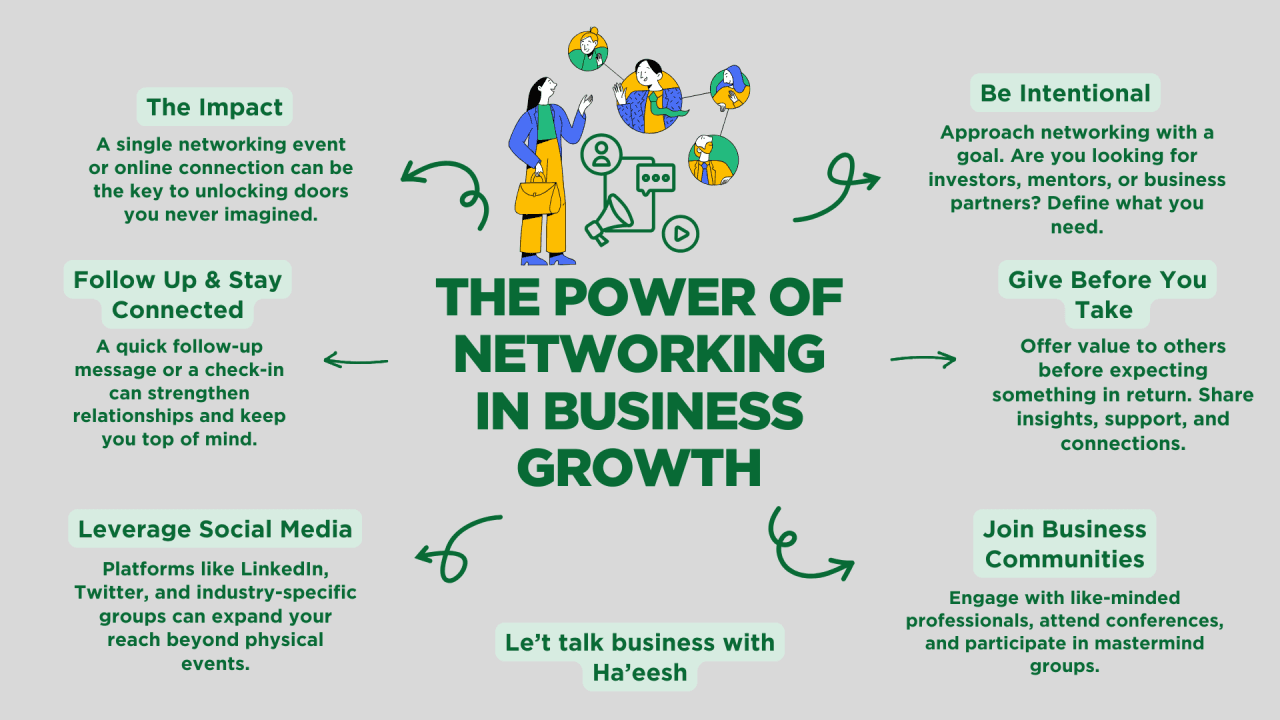
business • 10/31/2025
The Power of Business Networking for Small Entrepreneurs
In today’s fast-changing business world, success is not only about what you know but also about who you know. For small entrepreneurs, business networking can open doors to new opportunities, partnerships, and valuable insights that accelerate growth. Whether you are launching a new startup or managing a small company, building real connections within your industry can create lasting value. What Is Business Networking Business networking means connecting with other professionals to share ideas, knowledge, and opportunities. It is not just about exchanging contact information; it is about forming genuine relationships that lead to mutual growth. Networking can happen at conferences, local business events, or online platforms like LinkedIn. Why Business Networking Matters for Small Entrepreneurs Builds Trust and Credibility When people know you personally and trust your expertise, they are more likely to collaborate with you or recommend your services. Networking helps small entrepreneurs gain credibility within their communities. Opens New Opportunities Many new partnerships, client referrals, or business leads come from personal connections. By networking regularly, entrepreneurs can find mentors, collaborators, or even investors who help them move forward. Encourages Learning and Growth Conversations with other professionals often lead to new perspectives and insights. Networking allows small entrepreneurs to stay updated on market trends and learn from experienced peers. Strengthens Community Support Running a business can feel isolating, but networking connects you with others who understand similar challenges. A strong professional circle provides emotional and strategic support. Effective Business Networking Tips 1. Attend Industry Events Participate in trade fairs, local meetups, or seminars relevant to your business. Face-to-face conversations build stronger relationships and increase visibility. 2. Use Online Platforms Platforms like LinkedIn, Facebook groups, and business forums allow entrepreneurs to connect globally. Engage actively by commenting, sharing insights, and joining discussions. 3. Offer Value First Networking works best when you contribute before expecting help. Share resources, offer advice, or introduce people to useful contacts. Helping others builds long-term trust. 4. Follow Up and Stay Connected After meeting someone, send a short message or email to stay in touch. Consistent communication keeps relationships active and meaningful. 5. Collaborate for Growth Instead of competing with others in your industry, look for ways to collaborate. Joint ventures or co-hosted events can help both businesses expand their reach. Common Networking Mistakes to Avoid Avoid focusing only on yourself or treating every interaction like a sales pitch. Listen actively, ask questions, and show genuine interest in others. Another common mistake is neglecting follow-ups after the first meeting. Networking is an ongoing effort that requires consistency and patience. Long-Term Benefits of Business Networking A strong network builds your reputation and opens new opportunities over time. Many successful entrepreneurs credit their biggest breaks to the relationships they built early in their careers. Even one powerful connection can change your business path completely. Consistent networking creates trust and recognition, which lead to lasting success. Conclusion Business networking is one of the most effective tools for small entrepreneurs. It helps you gain exposure, learn from others, and develop partnerships that lead to real growth. The more effort you put into building authentic relationships, the stronger your business foundation becomes. Start networking today and open the door to future opportunities. FAQs What is business networking? Business networking is the practice of building relationships with professionals to exchange ideas, advice, and opportunities. Why is networking important for small entrepreneurs? It helps establish trust, attract clients, and create partnerships that support long-term business growth. How can I start networking effectively? Attend local business events, participate in online groups, and engage with others on LinkedIn. Does networking really help business growth? Yes, networking leads to valuable connections, client referrals, and collaborative ventures that boost growth. How often should I network? Networking is most effective when done regularly. Make it a consistent part of your weekly or monthly business routine.
Read More →